Some courses from the catalogue
Taught in EnglishSplunk Power User Training
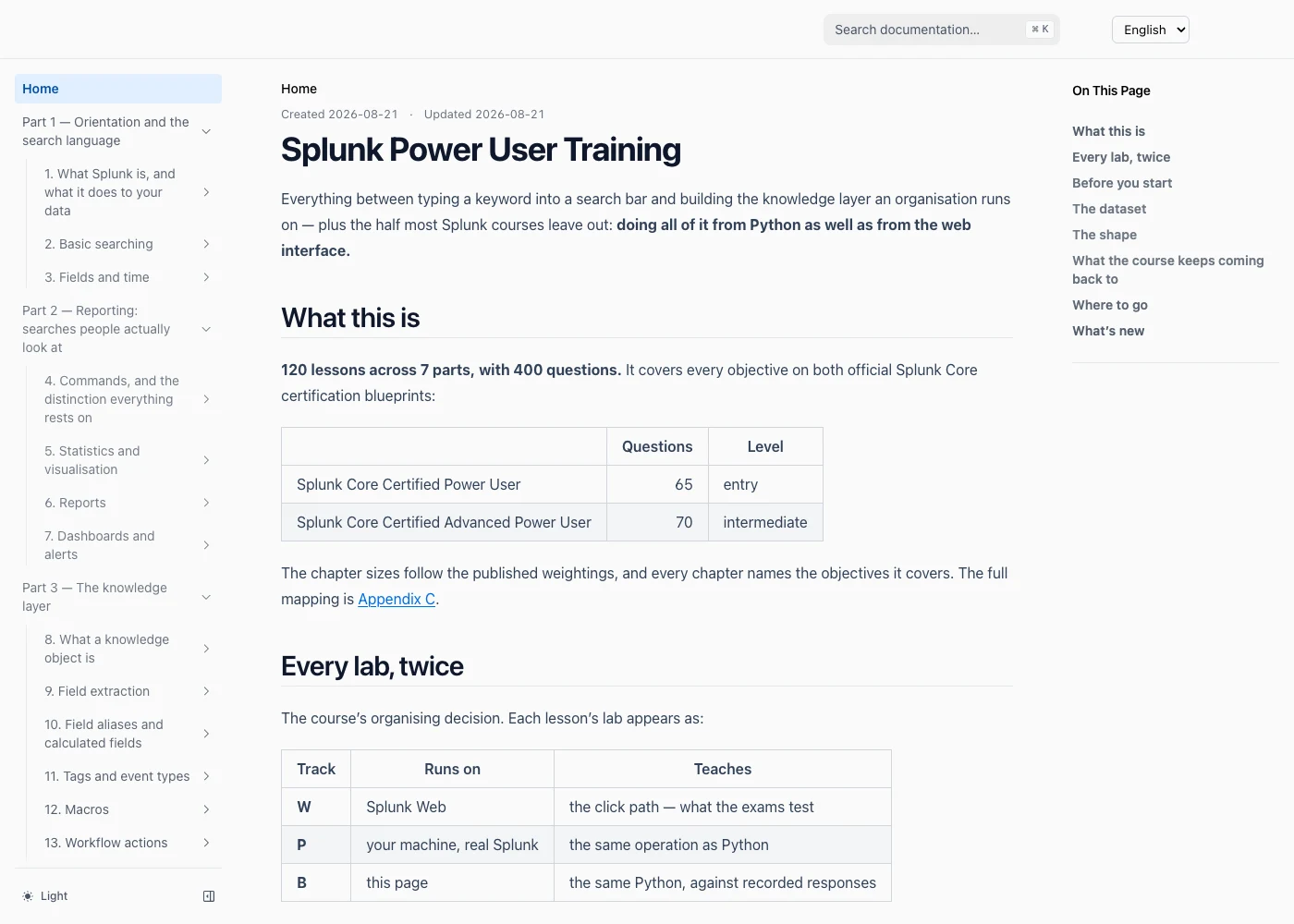
SPL, knowledge objects, data models and dashboards, mapped to both Splunk Core Power User exam blueprints, with every lab in Splunk Web and again in Python.
- Duration
- about 13.5 hours of reading, plus a lab in every lesson
- Lessons
- 120 in 35 chapters, 7 parts
- Questions
- 400, incl. a 50-question final
- Diagrams
- 23
- Format
- Self-paced, in the browser, with labs in your own Splunk or in the page
The course starts where most Splunk users already are: able to type a keyword into the search bar, and running searches copied from a colleague without knowing why they are shaped the way they are. It ends at the knowledge layer an organisation runs on: field extractions, lookups, macros, event types, data models, the Common Information Model, forms and drilldowns. Its through-line is Splunk's most expensive habit, which is not being slow but returning a plausible answer instead of failing. Every such case is measured on a purpose-built synthetic dataset you can regenerate, which holds no real host, person or organisation. Every lab appears three times: the click path in Splunk Web, the same operation in Python against your own Splunk, and that same Python running in the page against recorded responses, for learners with no Splunk at all.
One animation from the material
The plausible wrong answer
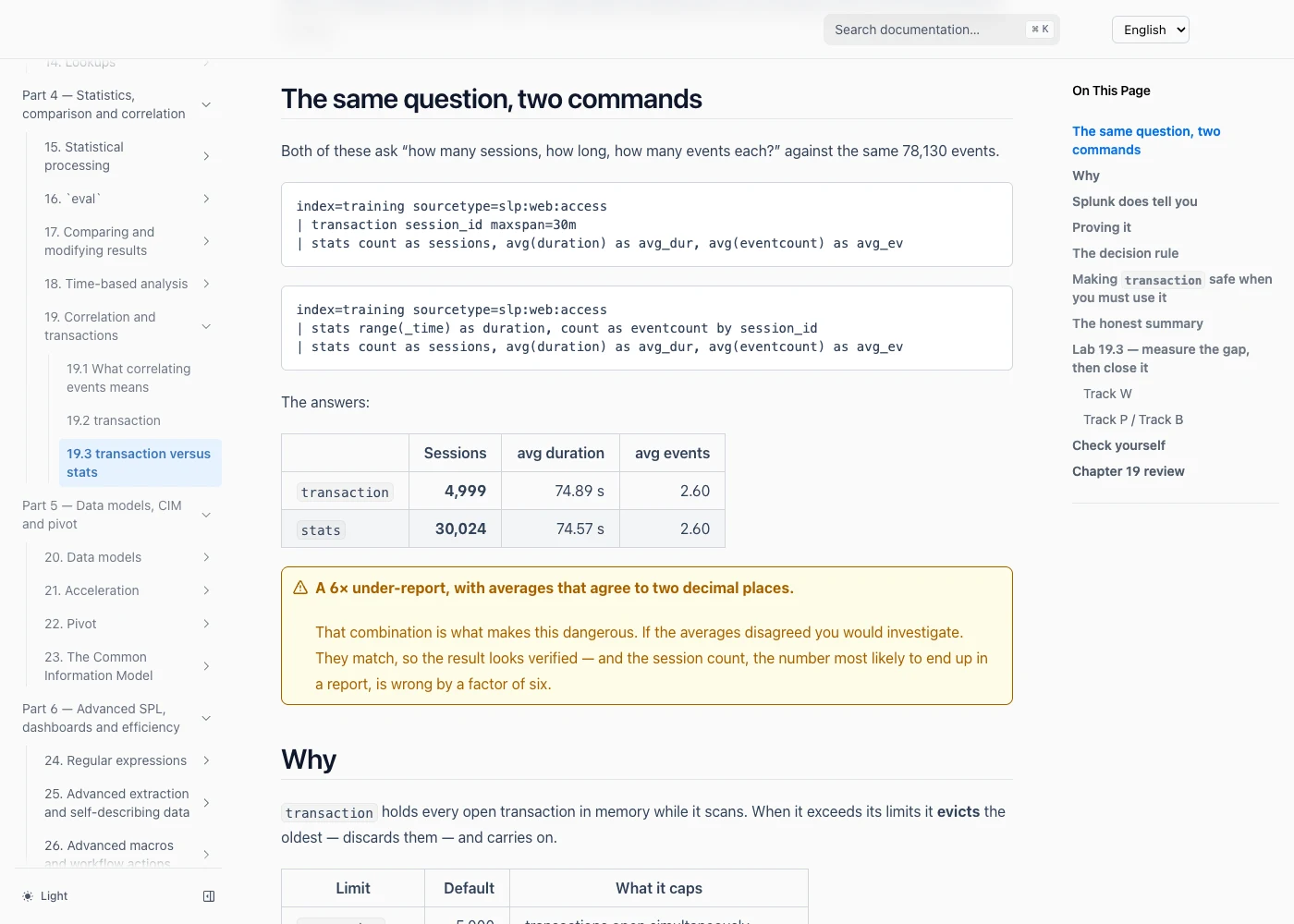
Made for this page from lesson 19.3, “transaction versus stats”, with the course's own searches and figures. Both commands count sessions in the same 78,130 web-access events of the course dataset. stats groups by session_id and answers 30,024. transaction holds open transactions in memory, and once its maxopentxn default of 5,000 is reached it evicts the oldest and carries on, so it answers 4,999, while the averages beside both counts match, which is what makes the wrong number look verified. The only trace is an INFO message in the job inspector; with the limits raised, transaction arrives at the number stats gave at once. The course itself shows this as searches and result tables, not as an animation.
Who it is for
- SOC analysts who search Splunk every day and are being asked for more than a keyword search
- System, network and security engineers whose logs already land in Splunk
- Whoever has inherited somebody else's reports, dashboards and alerts and now has to keep them right
- Engineers who want to drive Splunk from Python: search jobs over the REST API, the SDK, large exports and lookups kept up to date
- People preparing for the Splunk Core Certified Power User or Advanced Power User exam
Before you start
- Being able to read a log line, and having typed a search into Splunk at least once. No SPL beyond that is assumed: Part 1 starts at the search bar.
- For the click paths, your own Splunk. The course walks you through running Splunk Enterprise in Docker Desktop with its dataset loaded, in about a quarter of an hour; Docker needs a few gigabytes of memory, and the guide says how much.
- Splunk's trial licence is time-limited, and when it lapses, alerting and authentication switch off, which some chapters rely on. The guide shows how to start a fresh one.
- Some Python helps for the Python track and for Part 7, and an appendix is a quick reference. The in-page track needs nothing but a browser.
- Comfortable reading in English: the course is taught in English only.
What you will be able to do
- Explain what Splunk does to data at index time and what it does at search time, and why most of the course's work happens at search time.
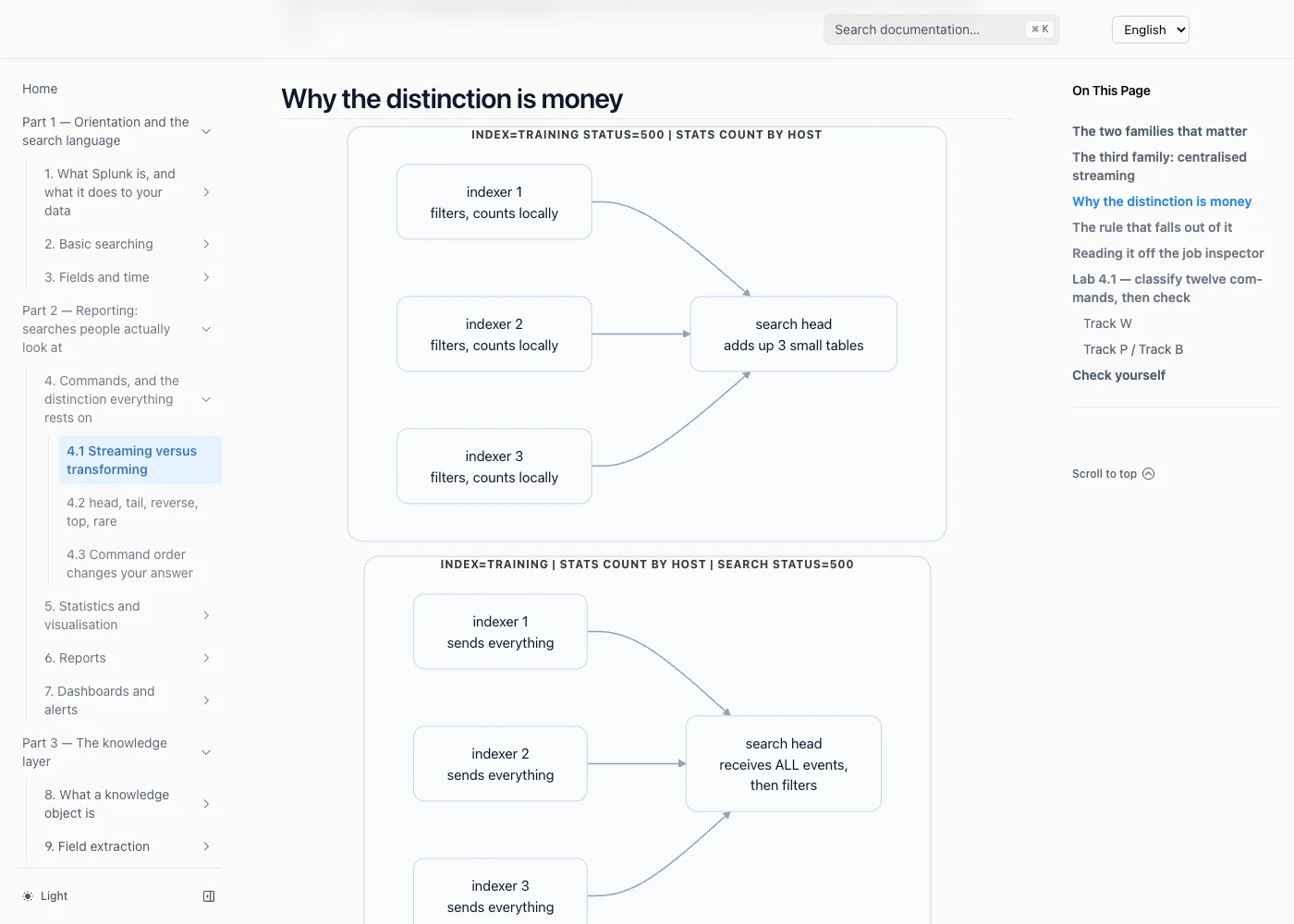
- Write searches that filter early, and tell streaming commands from transforming ones: the distinction that decides both how fast a search is and what it answers.
- Build the knowledge objects an organisation runs on: field extractions, aliases, calculated fields, tags, event types, macros, workflow actions and lookups.
- Build and accelerate a data model, use tstats and Pivot, and normalise a sourcetype to the Common Information Model.
- Build forms with tokens, cascading inputs and drilldowns, and read the job inspector to see why a dashboard is slow.
- Choose between transaction and stats, and spot the silent limits that turn a failure into a plausible wrong answer: evicted transactions, truncated subsearches, capped sorts.
- Do the same work from Python: the lifecycle of a search job over the REST API, the Splunk Enterprise SDK, safe exports of large result sets, and a lookup kept fresh from an external source.
Curriculum
Part and lesson titles appear exactly as they do in the course, in the course's own language; the line under each part is the question it answers.
Part 1 — Orientation and the search language
What does Splunk do to data when it arrives, and what really happens when you search it?
- 1. What Splunk is, and what it does to your data
- 2. Basic searching
- 3. Fields and time
Part 2 — Reporting: searches people actually look at
How does a search become a report, a dashboard or an alert that people rely on?
- 4. Commands, and the distinction everything rests on
- 5. Statistics and visualisation
- 6. Reports
- 7. Dashboards and alerts
Part 3 — The knowledge layer
Where do fields, names and enrichments come from, and who gets to see them?
- 8. What a knowledge object is
- 9. Field extraction
- 10. Field aliases and calculated fields
- 11. Tags and event types
- 12. Macros
- 13. Workflow actions
- 14. Lookups
Part 4 — Statistics, comparison and correlation
How do you summarise, compare periods and tie related events together without getting the count wrong?
- 15. Statistical processing
- 16. `eval`
- 17. Comparing and modifying results
- 18. Time-based analysis
- 19. Correlation and transactions
Part 5 — Data models, CIM and pivot
How do you make searches fast, and make data from different sources look alike?
- 20. Data models
- 21. Acceleration
- 22. Pivot
- 23. The Common Information Model
Part 6 — Advanced SPL, dashboards and efficiency
What does the advanced level add: regex, subsearches, forms, multivalue fields, and searches that stay fast?
- 24. Regular expressions
- 25. Advanced extraction and self-describing data
- 26. Advanced macros and workflow actions
- 27. Subsearches and advanced lookups
- 28. Dashboards, forms and drilldowns
- 29. Multivalue fields
- 30. Using search efficiently
- 31. Advanced correlation and SPL techniques
Part 7 — Splunk from Python
How do you do the same work from code, through the REST API and the Python SDK?
- 32. The REST API
- 33. The Splunk Enterprise SDK for Python
- 34. Automation patterns
- 35. MCP and AI-assisted Splunk
Appendices
- A. SPL command reference by task
- B. The lab dataset
- C. Exam objective map
- D. Python quick reference
- E. Versions and currency
- F. Regex reference
Assessment
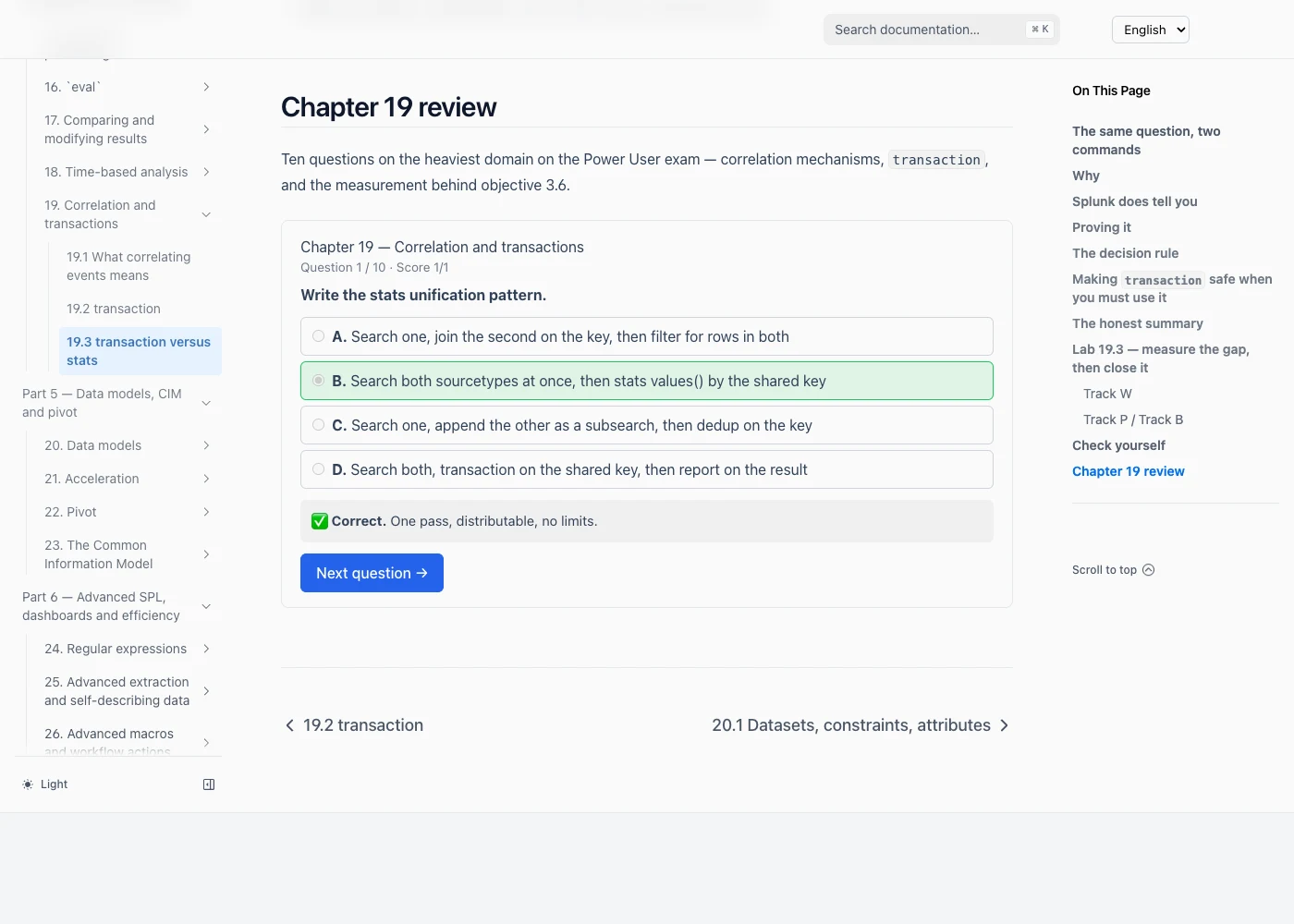
Each of the 35 chapters ends with a ten-question review at the end of its last lesson, and a 50-question final exam covers the whole course: 400 questions in all, with questions and options shuffled on every attempt. Every lesson also closes with a “Check yourself” list of open questions and a lab in three tracks. Attempts are recorded, so a learner can go back to what they got wrong.
Sample pages
Captured from the course's own build. The platform's sign-in controls and the learner's personal panels are left out of the frame; everything else is the page as a learner sees it.
The course states no duration of its own, so this is an estimate made from it: the prose on its pages, including the Python in its lab cells, which learners read, at 200 words a minute, plus a minute for each of its 23 diagrams and 45 seconds for each of its 400 questions, rounded up to the half hour. It leaves the labs out: each of the 120 lessons has one, done in your own Splunk and again in Python, and how long they take depends on the learner and the lab. Setting up the lab Splunk takes about a quarter of an hour. The platform records each learner's actual engaged time.
Run this course for your people
In a pilot the course runs on elmo beside your own material, and for every learner the platform records enrolment, progress through each page and engaged time, whatever the course's own format.