Some courses from the catalogue
Taught in English and in TurkishHardening Kubernetes Clusters: On-Prem and AKS
Harden the Kubernetes clusters you already run without breaking them — every control shown twice, on a self-managed kubeadm cluster and on AKS.
- Duration
- 5 days instructor-led, or 45–55 hours at your own pace
- Lessons
- 91 in 21 chapters, 10 parts
- Questions
- 505, incl. a 50-question final
- Diagrams
- 22
- Animations
- 15
- Format
- Instructor-led or self-paced, with labs on a local kind cluster and a replay track for every AKS lab
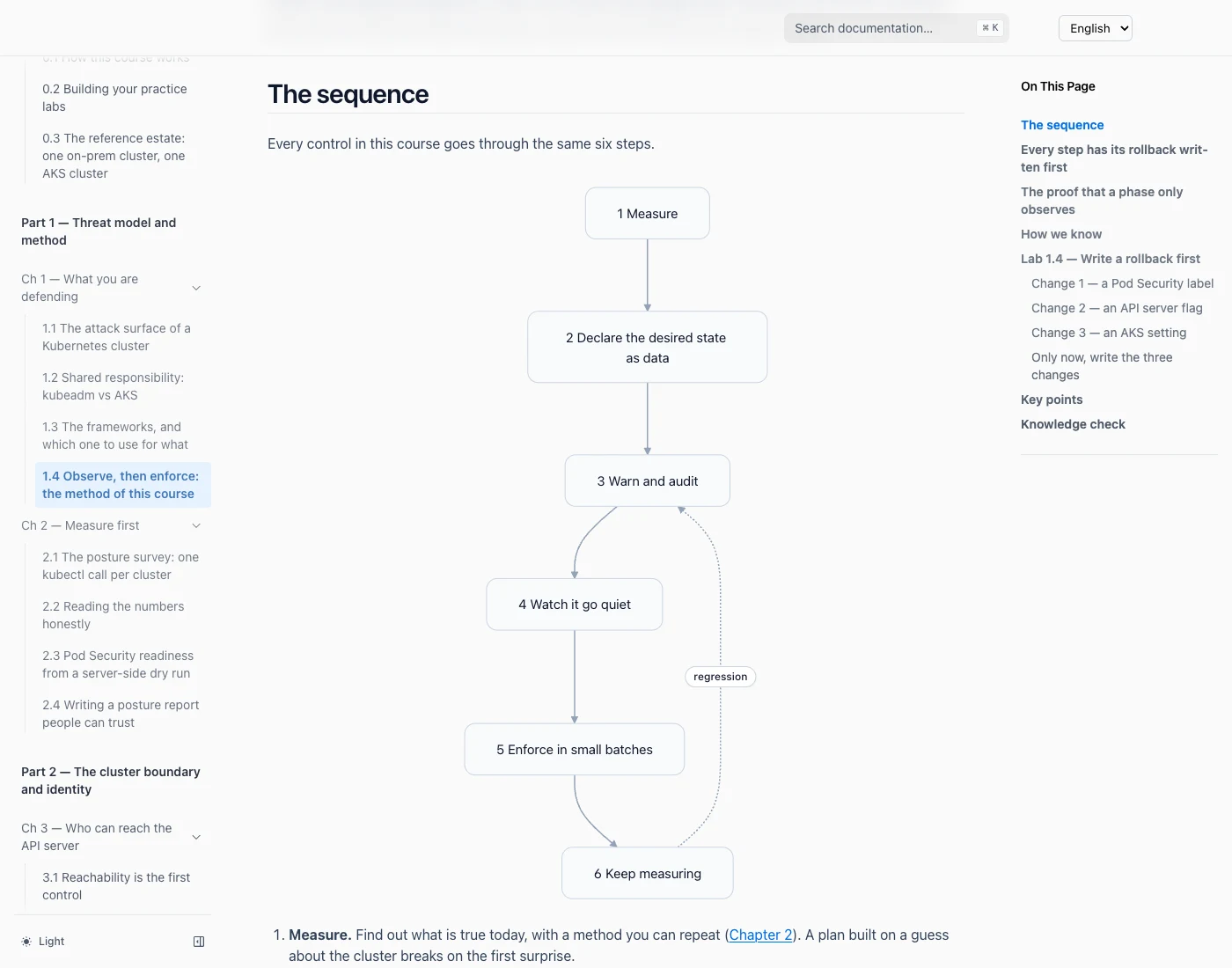
The course works through every layer an attacker aims at — the API server's reachability, identity, RBAC, the control plane and nodes, audit logging, Secrets at rest, workload privileges, Pod Security, the network, images and scanning. For each one it shows the control twice: on an on-prem kubeadm cluster, where you own everything, and on Azure Kubernetes Service, where Microsoft owns the control plane. One method runs through all of it: observe before you enforce — measure honestly, write the desired state down as data, switch each control on in a warn-only mode, watch it go quiet, and only then enforce, in small reversible steps.
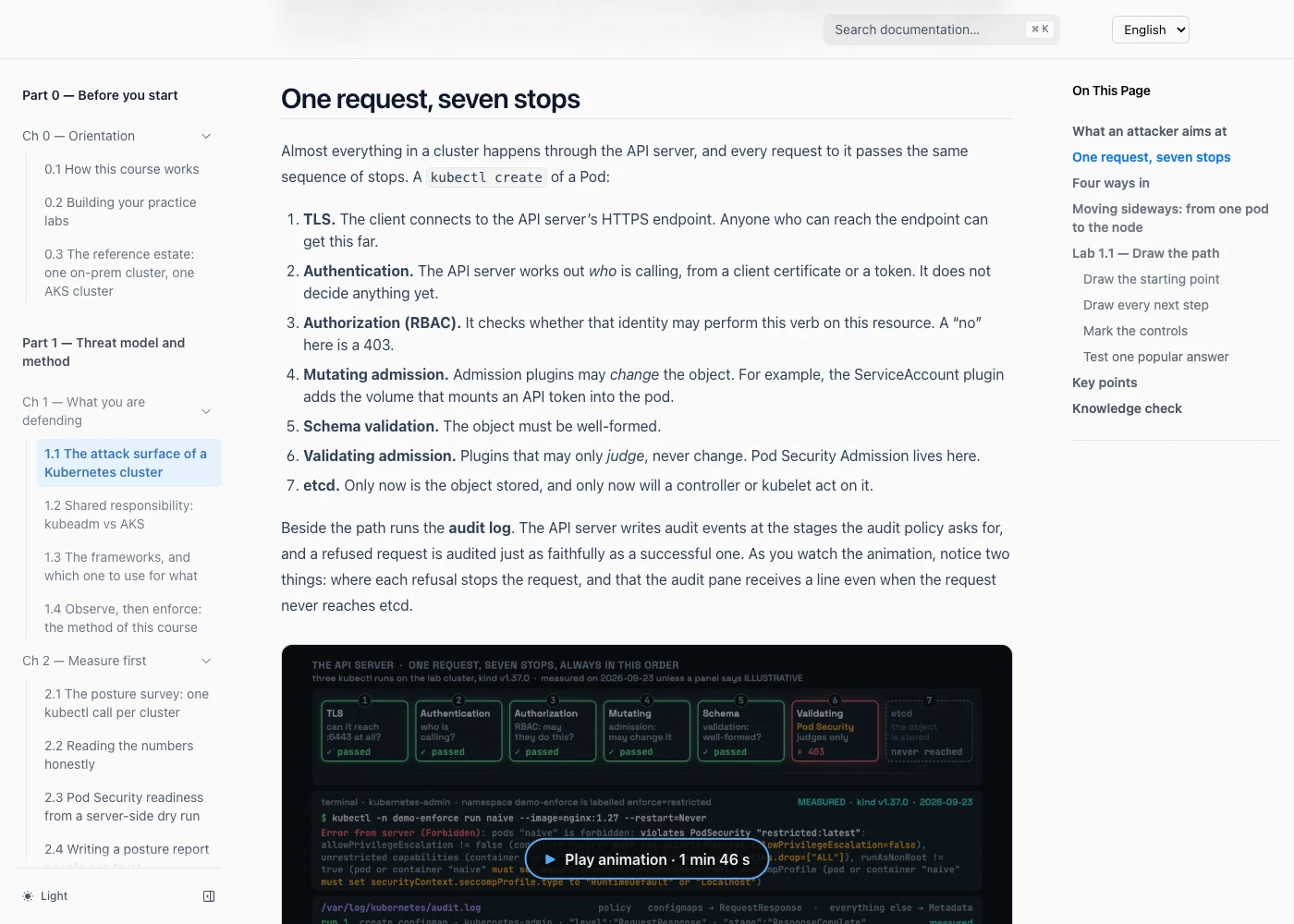
One animation from the material
One request, seven stops
Ported from the course's own animation (lesson 1.1, reused in 7.1 and 11.1). Three kubectl runs pass the API server's seven stops: a ConfigMap is allowed; a user who may only get pods is refused by RBAC at stop 3, so admission never sees the request; a plain nginx Pod in a namespace enforcing restricted is refused by Pod Security at validating admission. Every answer, allowed or refused, gets one audit line once the response is complete. Runs 1 and 3 were measured on a lab cluster; run 2 is illustrative, as the course itself says. The labels are the course's own, in English in both of its editions.
Who it is for
- Platform engineers about to harden clusters people depend on — every destructive step is rehearsed on a lab cluster first
- Anyone learning cluster hardening with CKA-level Kubernetes, who wants a self-contained reference with its own labs
- Teams planning a staged hardening programme across an on-prem cluster and AKS
Before you start
- Everyday Kubernetes and Linux: kubectl, YAML, Helm and Prometheus. You need not have written an audit policy or a NetworkPolicy before.
- A laptop with Docker and kind, which is enough for most of the course.
- Optional: an Azure subscription. Every AKS lab also has a replay track, so none is required.
- English or Turkish: both editions are the same course, and each reader gets their own language.
What you will be able to do
- Measure a cluster's security posture honestly, and tell compliant from empty from exempt.
- Lock down API reachability and identity on kubeadm and on AKS.
- Turn on API audit logging and encryption at rest without an outage or a leak.
- Harden workloads with securityContext and move Pod Security from warn to enforce without breaking anything.
- Write NetworkPolicies on Cilium that do what they appear to do.
- Run an image scanner whose green dashboard means something.
- Plan and run a reversible, staged hardening programme.
Curriculum
Part and lesson titles appear exactly as they do in the course, in the course's own language; the line under each part is the question it answers.
Part 0 — Before you start
What the course assumes, how it works, and the two clusters it keeps coming back to.
- 0.1 How this course works
- 0.2 Building your practice labs
- 0.3 The reference estate: one on-prem cluster, one AKS cluster
Part 1 — Threat model and method
What are you defending, and how do you measure it before changing anything?
- 1.1 The attack surface of a Kubernetes cluster
- 1.2 Shared responsibility: kubeadm vs AKS
- 1.3 The frameworks, and which one to use for what
- 1.4 Observe, then enforce: the method of this course
- 2.1 The posture survey: one kubectl call per cluster
- 2.2 Reading the numbers honestly
- 2.3 Pod Security readiness from a server-side dry run
- 2.4 Writing a posture report people can trust
Part 2 — The cluster boundary and identity
Who can reach the API server, who is calling, and what may they do?
- 3.1 Reachability is the first control
- 3.2 On-prem: keep the API on the private network
- 3.3 AKS: authorized IP ranges
- 3.4 AKS: private clusters and API Server VNet Integration
- 4.1 How Kubernetes authenticates
- 4.2 On-prem: kubeadm certificates and the admin kubeconfig
- 4.3 AKS: local accounts, Entra ID and the credential that is not read-only
- 4.4 Service-account tokens
- 5.1 The RBAC model
- 5.2 The dangerous permissions
- 5.3 Auditing RBAC, and where can-i lies
- 5.4 Least privilege by enumeration: a read-only reporter's role
- 6.1 API server flags that matter
- 6.2 etcd: whoever reads it owns the cluster
- 6.3 Kubelet hardening, and what kubeadm already did
- 6.4 The CIS benchmark with kube-bench
- 6.5 Node and host hardening
- 6.6 The patching position: versions, skew and upgrade channels
Part 3 — Audit and data at rest
Can you see what happened, and are the Secrets really encrypted?
- 7.1 What an audit event is
- 7.2 Writing an audit policy: first match wins
- 7.3 On-prem: enabling it, one control-plane node at a time
- 7.4 Getting the log off the node
- 7.5 AKS: diagnostic settings
- 7.6 Proving audit works
- 8.1 Where Secrets actually live
- 8.2 On-prem: encryption at rest with EncryptionConfiguration
- 8.3 Key rotation without losing data
- 8.4 AKS: platform-managed encryption and KMS with Key Vault
- 8.5 The honest limit: the backup archive
Part 4 — Workload hardening
What may a pod do to its node, and how do you enforce that without breaking anything?
- 9.1 Root in a container
- 9.2 Capabilities, and the arithmetic of the default set
- 9.3 seccomp and RuntimeDefault
- 9.4 AppArmor and SELinux on the nodes
- 9.5 Read-only root filesystems and writable paths
- 9.6 Host namespaces, hostPath and hostPort: the doors out
- 9.7 User namespaces (hostUsers: false)
- 10.1 Pod-level vs container-level fields
- 10.2 The image has to cooperate
- 10.3 Turning an accident into a guarantee
- 10.4 A legitimate exception, minimised: the packet-capture container
- 10.5 Requests, limits and quotas as a security control
- 11.1 From PodSecurityPolicy to Pod Security Admission
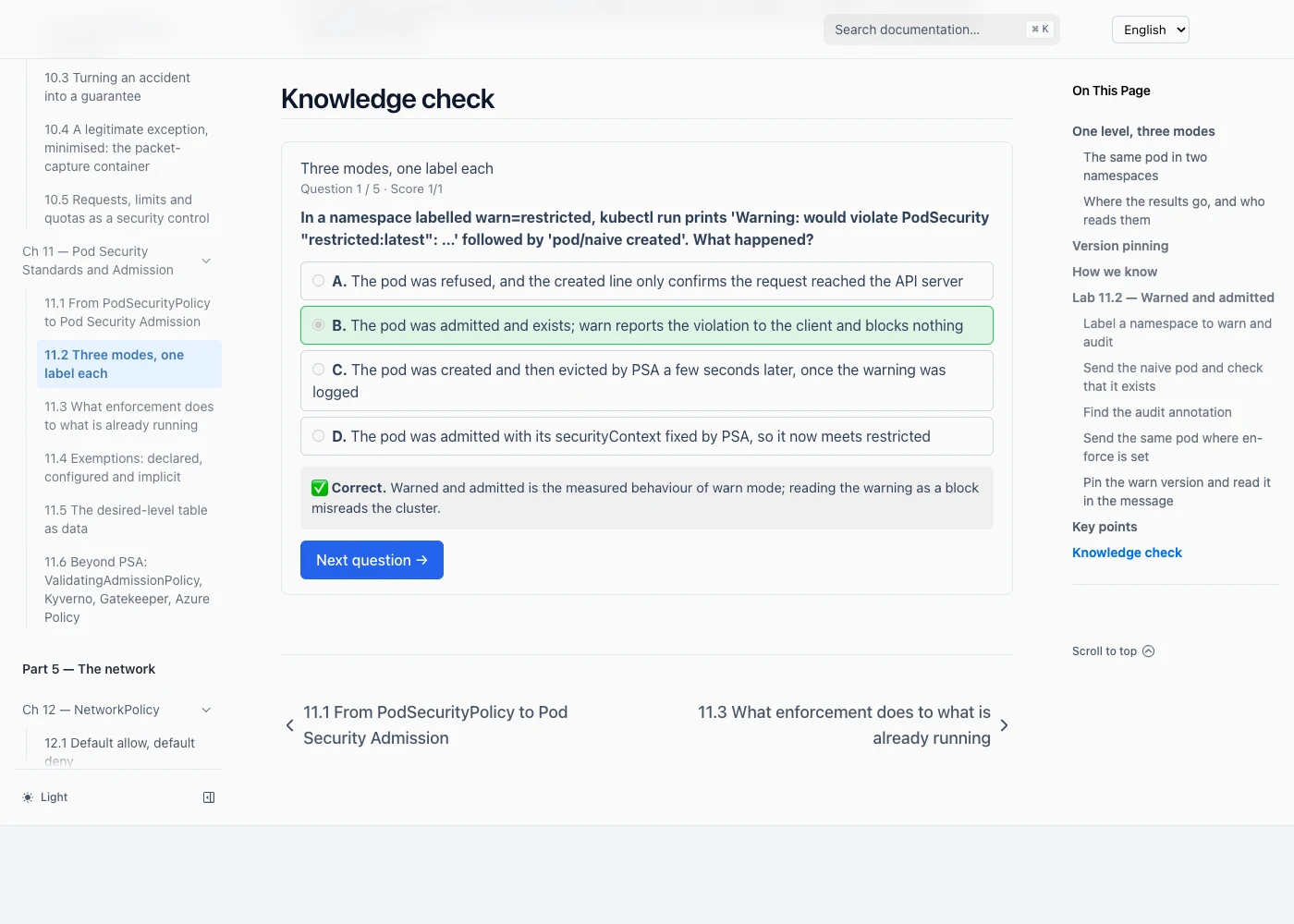
- 11.2 Three modes, one label each
- 11.3 What enforcement does to what is already running
- 11.4 Exemptions: declared, configured and implicit
- 11.5 The desired-level table as data
- 11.6 Beyond PSA: ValidatingAdmissionPolicy, Kyverno, Gatekeeper, Azure Policy
Part 5 — The network
Does the NetworkPolicy do what it appears to do?
- 12.1 Default allow, default deny
- 12.2 Selectors and the traps inside them
- 12.3 Cilium: identities, entities and the ipBlock that never matches
- 12.4 NodePort DNAT happens before policy
- 12.5 Ship the policy with the pod, and never blind the scraper
- 12.6 AKS networking controls
Part 6 — Supply chain and images
Where do the images come from, and does the scanner's green mean anything?
- 13.1 Tags, digests and :latest
- 13.2 On-prem: the insecure in-cluster registry
- 13.3 AKS: ACR done right
- 13.4 Image signing and admission verification
- 14.1 What a scanner sees and what it cannot
- 14.2 Trivy Operator: architecture and reports
- 14.3 The three ways a scanner becomes a dashboard
- 14.4 The acceptance test that cannot pass for the wrong reason
- 14.5 Egress for the scanner and its jobs
- 14.6 Triage: who looks, how often, and what alerts
- 15.1 What static controls cannot see
Part 7 — Making posture visible
How do you make posture visible, and prove a control really works?
- 16.1 What you already have, and what nobody emits
- 16.2 Cardinality: which labels are allowed
- 16.3 Keep-lists and gates
- 16.4 Approximation vs authority
- 17.1 "Running" is not a test
- 17.2 Freshness, lookback and the series diff
- 17.3 Proving negatives
Part 8 — Running the programme
How do you roll it all out in small, reversible steps?
- 18.1 Tranches and sequencing
- 18.2 Containing an unavoidable exception: moving a node exporter
- 18.3 Enforcing namespace by namespace
- 18.4 Control-plane change windows
- 18.5 What the programme deliberately does not cover
- 19.1 Capstone A — harden the on-prem sample
- 19.2 Capstone B — harden the cloud sample
Part 9 — Keeping current
What changes with each Kubernetes release, and how does the course stay current?
- 20.1 Versions, support windows and what changed
- 20.2 Keeping this course current
Appendices
- A — Lab environments
- B — Command and template reference
- C — CKS and CIS mapping
- D — Currency
- E — Glossary
Assessment
Every lesson ends with a five-question knowledge check, and the course closes with a 50-question final exam: 505 questions in all. The Turkish edition asks the same questions with the same answer keys, so a result means the same thing in either language.
Sample pages
Captured from the course's own build. The platform's sign-in controls and the learner's personal panels are left out of the frame; everything else is the page as a learner sees it.
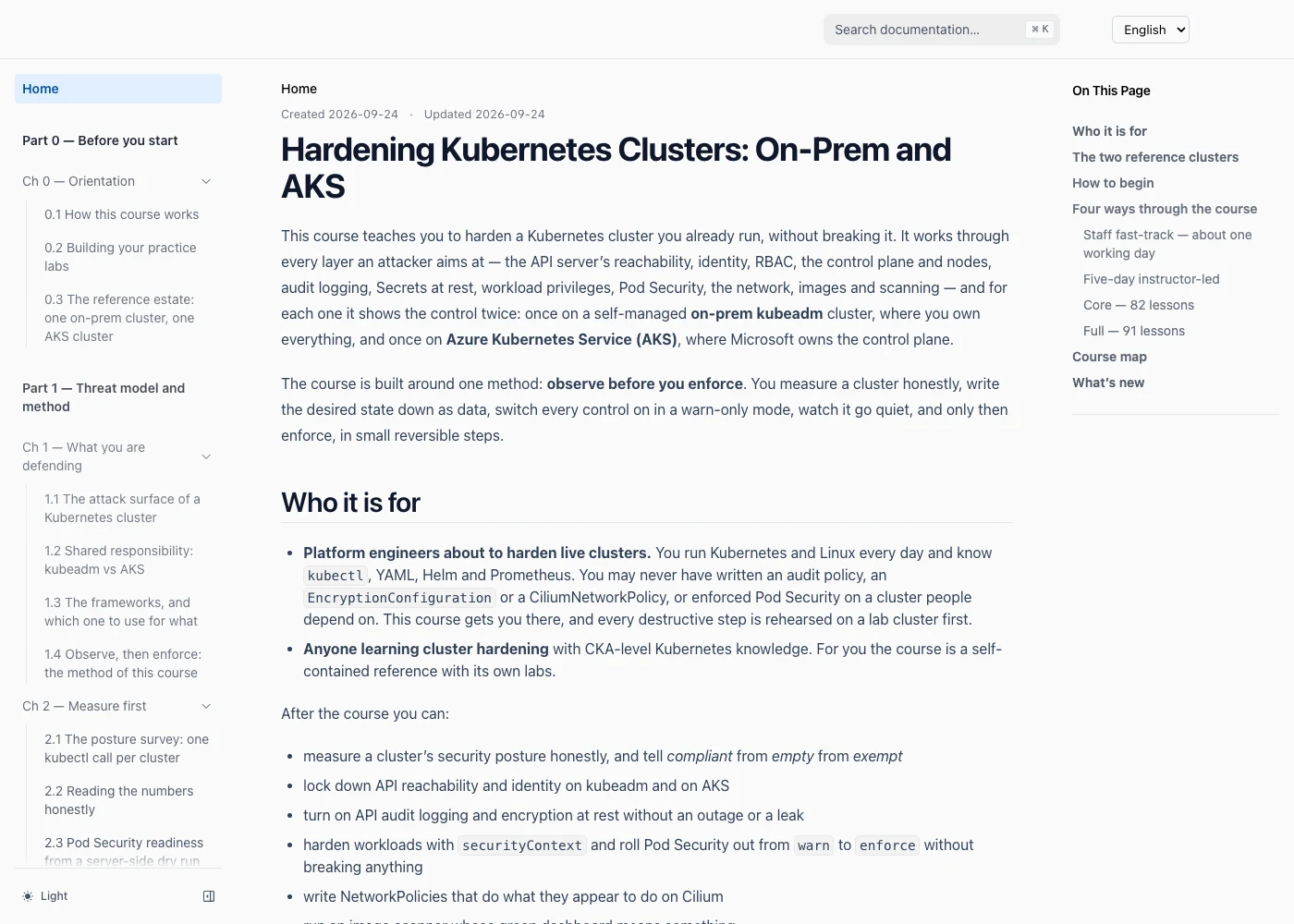
These durations are the course's own. In class, a platform team covers Parts 0–4, Part 8 and Chapters 12 and 14 in 5 days, with the rest as self-study between sessions. At your own pace, all 91 lessons take about 45–55 hours — an estimate the course says its first pilot will measure. For whoever starts making changes this week there is a one-day fast track of 10 lessons.
Run this course for your people
In a pilot the course runs on elmo beside your own material, and for every learner the platform records enrolment, progress through each page and engaged time, whatever the course's own format.