Some courses from the catalogue
Taught in EnglishAutomating Collaboration with Webex APIs
Our own hands-on course on automating Cisco collaboration from code: HTTP, Python and the Webex APIs, with every lab running in the browser.
- Estimated duration
- about 8.5 hours
- Lessons
- 37 in 7 parts
- Questions
- 410, incl. a 40-question final
- Diagrams
- 18
- Format
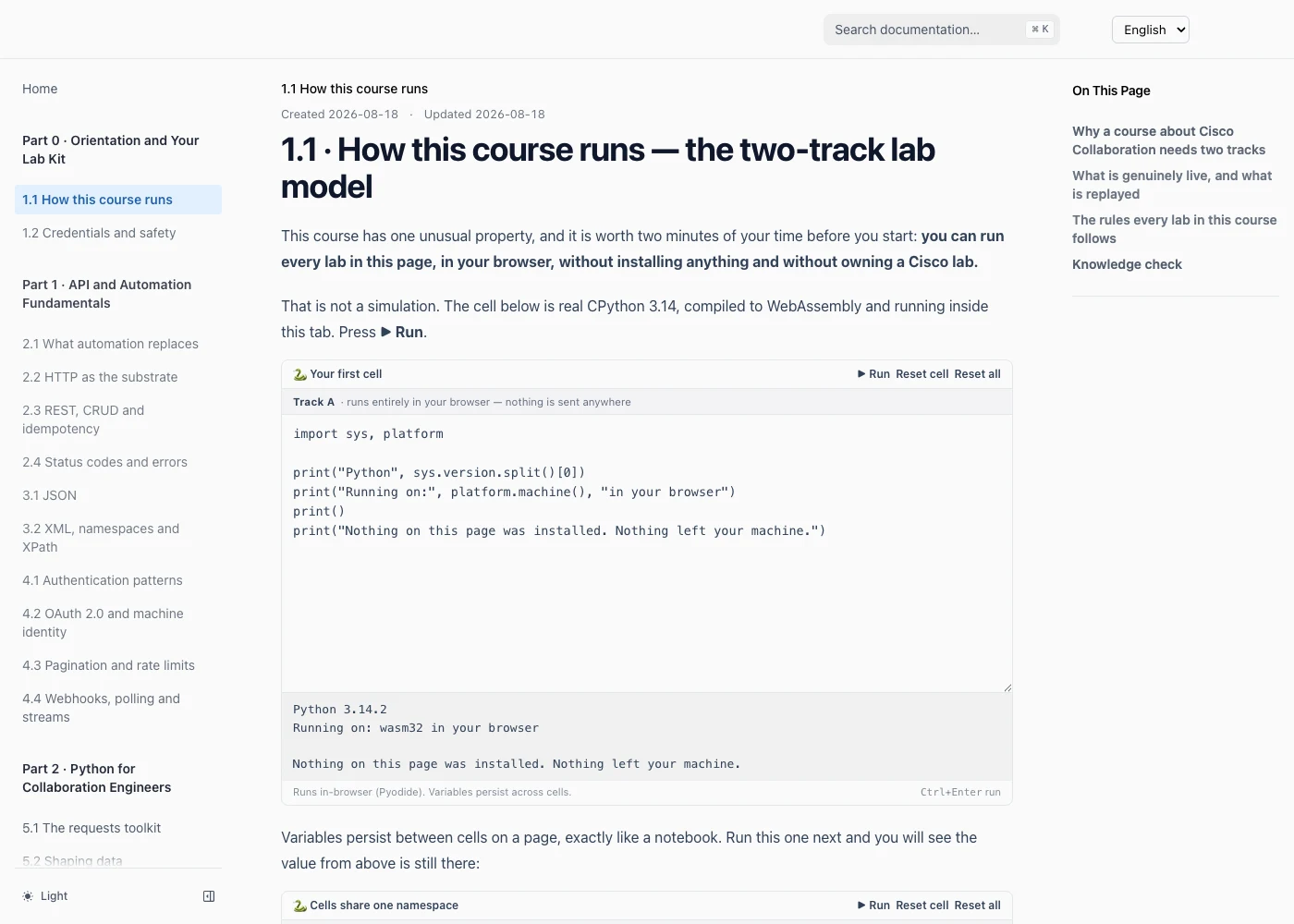
- Self-paced, with every lab running in the browser
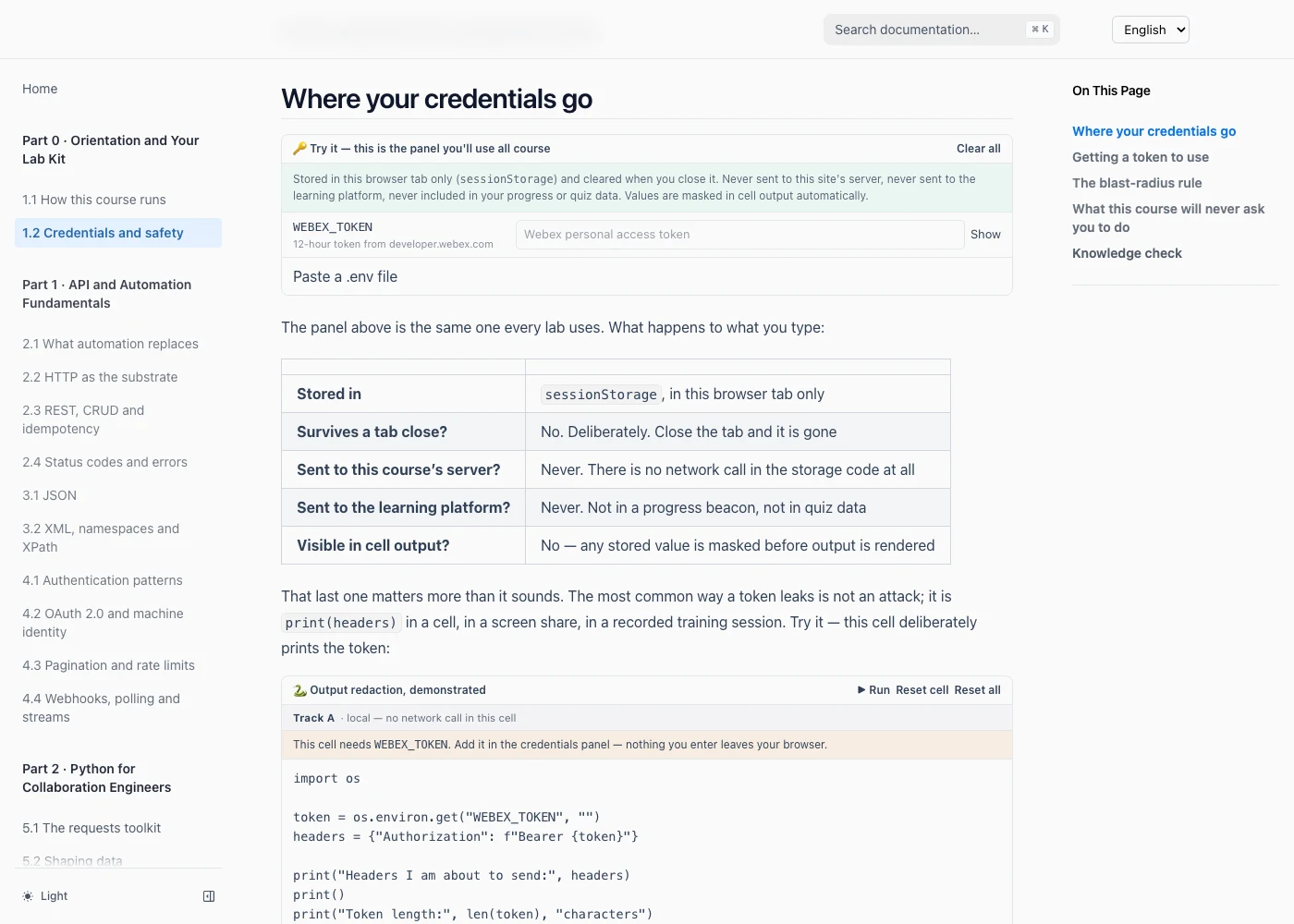
Our own course on driving Cisco collaboration from code, written from scratch in our own words. It is not Cisco's official training, and it is neither provided nor endorsed by Cisco. It assumes no API experience: HTTP, REST, JSON and XML, authentication, pagination and events are taught without naming a vendor, then Python that survives errors, secrets and scale, then a map of the Cisco collaboration estate and which API does which job. The core is the Webex cloud — identities and scopes, spaces and messages, bots, Adaptive Cards, webhooks and their signatures, meetings, people and licences, analytics — and it closes with Git, testing, CI and a capstone pipeline that provisions a new starter. Every lesson has a lab that runs in the page in real Python compiled to WebAssembly; the Webex labs call the real Webex API with the learner's own token, which never leaves the browser tab. This edition covers Webex only: the part numbers skip 4, 5 and 7 to 9, and the on-premises products — CUCM, Meeting Server, Expressway and RoomOS endpoints — are mapped in Part 3 but not automated here.
One animation from the material
Read before you write
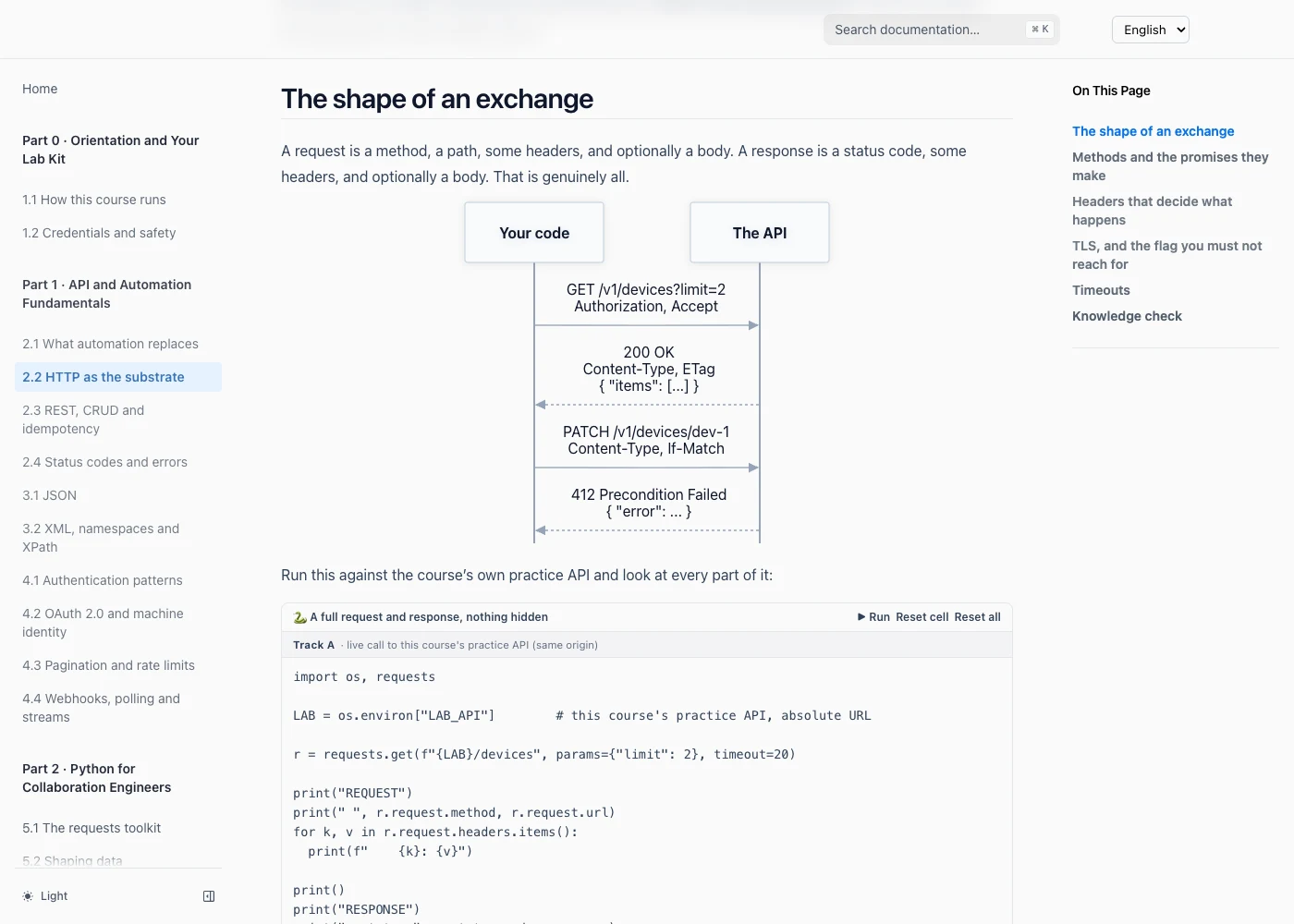
Made for this page from lessons 2.2 and 2.3, where the course draws the same exchange as a sequence diagram and runs it against its practice API. You read a device and keep its ETag; a colleague changes it; your write still carries the old ETag in If-Match, and the API refuses it with 412, so nothing is overwritten. It is rule 1 of every lab in the course: read before you write. The token is only ever shown as a placeholder.
Who it is for
- Collaboration and network engineers who administer Cisco collaboration by hand today and want to do it from code
- UC and video administrators who can read Python but do not write it every day
- Engineers who have never called a REST API, used Git or written a test — the course assumes none of it
- Teams that want a Webex bot, a webhook or a provisioning script built properly, with error handling, tests and CI
Before you start
- Working knowledge of what calling, meetings and messaging do for users. No API, REST, SOAP or Git experience is assumed.
- Enough Python to read a short script. The course teaches the rest as it goes.
- A modern browser and nothing else: the labs run in the page, with nothing to install.
- For the live Webex labs, a free Webex developer account and a personal access token. It stays in the browser tab and is cleared when the tab closes.
- Comfortable reading English: the course is written in English.
What you will be able to do
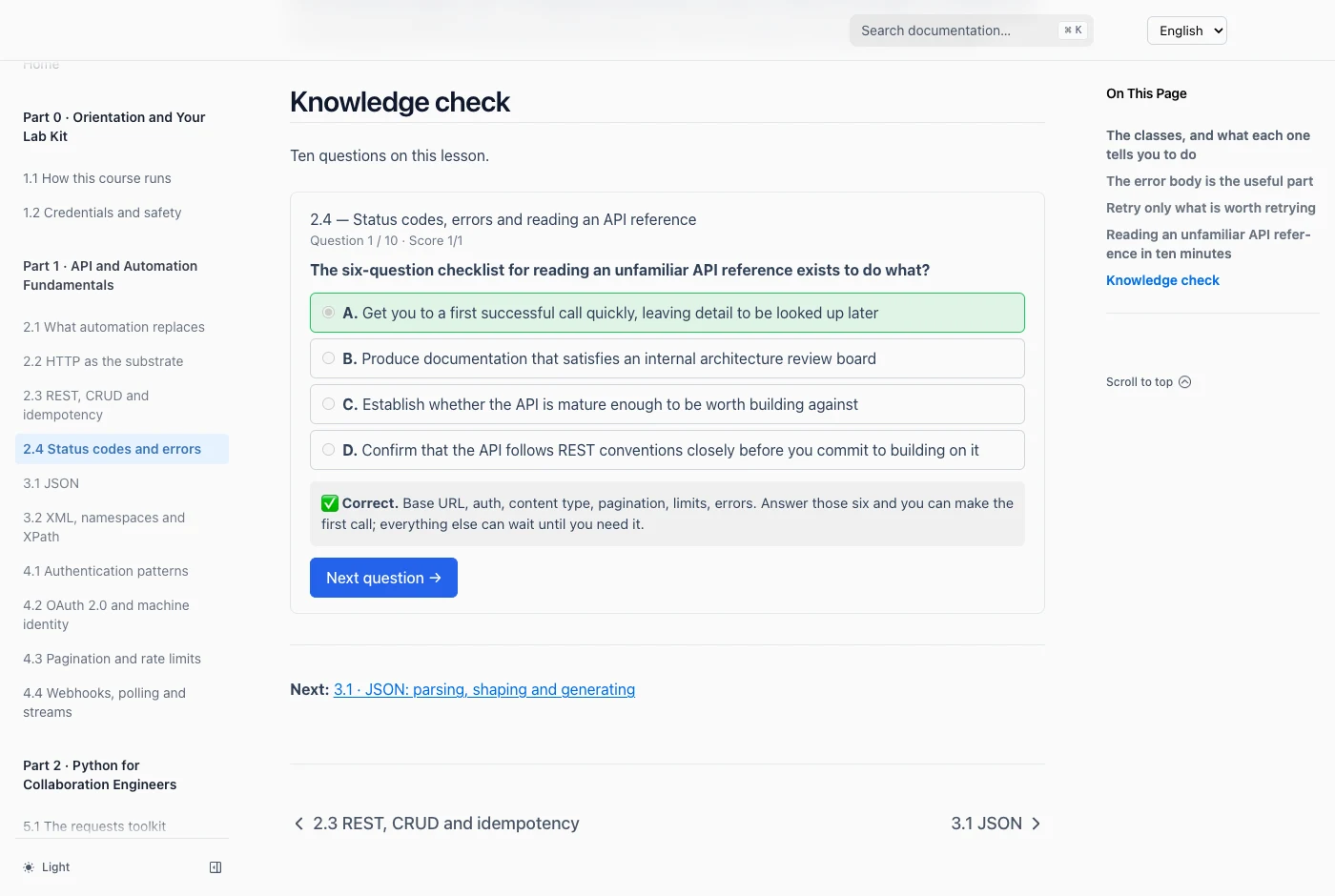
- Read an unfamiliar API reference and make a first successful call within ten minutes.
- Read an HTTP exchange line by line, tell 400 from 422 and 401 from 403, and know which failures are worth retrying.
- Page through all three pagination styles, and back off correctly when an API answers 429.
- Choose the right Webex identity — personal token, bot, integration or service app — with only the privileges the job needs.
- Build a Webex bot with Adaptive Cards and webhooks, and verify each webhook's signature before acting on it.
- Automate Webex meetings, people, licences and workspaces without falling into the update-that-is-really-a-replace trap.
- Keep automation code in Git, test it against recorded fixtures and ship it through CI without leaking a secret.
- Design a provisioning pipeline that fails cleanly: nobody left half-provisioned, nothing left to guess.
Curriculum
Part and lesson titles appear exactly as they do in the course, in the course's own language; the line under each part is the question it answers.
Part 0 · Orientation and Your Lab Kit
How do the labs run in the browser, and where does my token go?
- 1.1 How this course runs
- 1.2 Credentials and safety
Part 1 · API and Automation Fundamentals
What is actually on the wire — methods, status codes, JSON and XML, authentication, pagination and events?
- 2.1 What automation replaces
- 2.2 HTTP as the substrate
- 2.3 REST, CRUD and idempotency
- 2.4 Status codes and errors
- 3.1 JSON
- 3.2 XML, namespaces and XPath
- 4.1 Authentication patterns
- 4.2 OAuth 2.0 and machine identity
- 4.3 Pagination and rate limits
- 4.4 Webhooks, polling and streams
Part 2 · Python for Collaboration Engineers
How does one working call become a script that survives errors, secrets and scale?
- 5.1 The requests toolkit
- 5.2 Shaping data
- 5.3 Configuration and secrets
- 6.1 Errors, logging and retries
- 6.2 Project structure and a CLI
- 6.3 Concurrency
Part 3 · The Cisco Collaboration Landscape
Which product owns what, which API does which job, and what changed recently?
- 7.1 The collaboration estate
- 7.2 Which API for which job
- 7.3 What changed, 2024–2026
Part 6 · Webex Cloud APIs
How do I act on a real Webex organisation — identities, messages, bots, cards, webhooks, meetings and administration?
- 12.1 Webex identities
- 12.2 OAuth, scopes and least privilege
- 13.1 Spaces and messages
- 13.2 Building a bot
- 13.3 Adaptive Cards
- 14.1 Webhooks
- 14.2 Webhook security
- 15.1 The Meetings API
- 15.2 People, licences, workspaces
- 15.3 Analytics and CDR
Part 10 · DevOps for Automation
How is automation code versioned, tested and shipped safely?
- 21.1 Git for automation
- 21.2 Postman and Newman
- 21.3 Testing and fixtures
- 21.4 CI/CD and pipeline secrets
Part 11 · Capstone
Can I design and build one provisioning pipeline that never leaves anyone half-done?
- 22.1R Design and contract
- 22.2R Building the pipeline
Appendices
- Appendix E · Setting up your own lab
Assessment
Every lesson ends with a ten-question knowledge check, and a 40-question final exam covers the whole course: 410 questions in all. The final exam asks about decisions — which API answers this, what this failure means — rather than version numbers. Questions and options are shuffled on each attempt, every answer carries an explanation, and attempts are recorded. The 116 labs are practice, not graded: each one runs in the page with its output in front of you.
Sample pages
Captured from the course's own build. The platform's sign-in controls and the learner's personal panels are left out of the frame; everything else is the page as a learner sees it.
The estimate is made from the course itself: 33,529 words read at 200 words a minute, plus a minute for each diagram and 45 seconds for each quiz question, rounded up to the half hour. It does not count the 116 labs, which a learner runs, edits and runs again, so a hands-on pace takes longer. The platform records each learner's actual engaged time.
Run this course for your people
In a pilot the course runs on elmo beside your own material, and for every learner the platform records enrolment, progress through each page and engaged time, whatever the course's own format.